
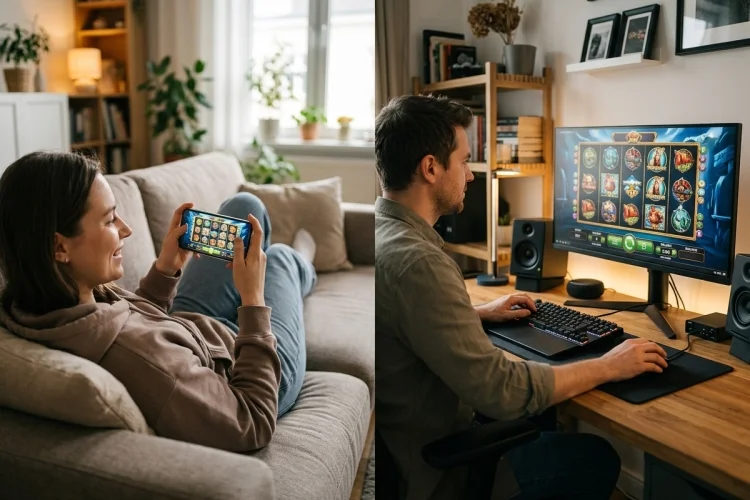
The same slot can feel surprisingly different when you move from a desktop monitor to a smartphone. Symbols become smaller, buttons change position, and features that filled one corner of a computer screen may be hidden inside a mobile menu.
Comparing Mobile Slots vs Desktop Slots therefore involves more than measuring screen size. You also need to consider loading speed, touch controls, graphics, audio, storage, and connection quality.
Modern games are often built to work across multiple devices, but good optimization is not guaranteed. Here is a closer look at the technical differences and how they influence the overall experience.
Responsive Design Connects Both Platforms
Many browser-based slots do not have completely separate mobile and desktop versions. Instead, one responsive interface adapts itself to the available screen.
CSS media queries can apply different layouts according to viewport size and can even identify environmental features such as touchscreen use. This allows a developer to move buttons, simplify menus, or change the reel dimensions for smaller screens.
A responsive game should remain readable without constant zooming or horizontal scrolling.
Desktop Screens Display More Information
A desktop layout can show the reels, stake controls, balance, paytable access, and promotional menus at the same time. This reduces the need to open and close panels repeatedly.
Large screens are especially helpful for slots with six reels, expanding grids, collection meters, or complicated bonus systems. The additional space does not change the mechanics, but it can make them easier to understand.
A desktop also supports several browser windows, allowing you to review operator rules or game information separately.
Mobile Controls Are Faster but Less Precise
A phone lets you tap directly on the interface. There is no cursor to move, so basic actions can feel immediate.
However, touch buttons need sufficient spacing. Accidentally tapping the stake selector instead of the paytable can be frustrating, particularly on compact screens.
MDN recommends designing mobile controls for touchscreen use while also supporting mouse and keyboard interaction on desktops and laptops. A game that ignores this principle may technically load on mobile without being comfortable to use.
Portrait or Landscape?
Portrait mode is natural for one-handed use and may suit simple slot layouts. Landscape mode gives the reels more horizontal space and often makes small symbols easier to see.
The better orientation depends on how the developer arranged the controls. Try both before deciding that the game is poorly optimized.
Desktop Hardware May Handle Heavy Graphics Better
Desktop computers often have more available memory, larger cooling systems, and stronger processors than budget smartphones. These advantages can help with animation-heavy games.
Nevertheless, software optimization remains important. A badly designed webpage can perform poorly even on powerful hardware.
Web games can use technologies such as Canvas, JavaScript, browser audio, and hardware-accelerated WebGL graphics. Performance ultimately depends on how efficiently those features are implemented.
Mobile Play Uses Battery and Data
A phone must power its screen, network connection, audio, and game animation from a limited battery. High brightness and detailed graphics can increase energy use.
Mobile data consumption also matters when Wi-Fi is unavailable. Responsive development can reduce unnecessary downloads by serving images suited to smaller displays instead of sending large desktop assets.
For smoother play, use a stable connection, reduce screen brightness, and close resource-heavy background apps.
Audio Can Behave Differently
Desktop browsers usually provide straightforward speaker or headphone controls. Mobile browsers may pause sound when the screen locks, another app opens, or an incoming call interrupts the session.
Browser audio behaviour can vary across platforms, so developers must decide which sounds are essential and provide suitable fallbacks.
Sound does not affect the outcome. Muting it can make mobile play more comfortable in public and reduce distraction.
Security Depends on the Platform Source
A desktop browser can reach fake websites, while a phone can install an unofficial or harmful application. Neither platform is automatically secure.
Check the domain carefully and use only legal, licensed services. Real-money gambling apps on Google Play must complete an approval process and provide a valid operating licence for each permitted market.
Avoid apps or websites requesting unrelated permissions, plug-ins, or unknown configuration files.
Does Either Device Offer Better Odds?
No device can turn random slots into predictable games. Regulated RNG results must be acceptably random and distributed according to the expected probabilities.
A phone, laptop, or desktop merely sends your action to the game system and displays the returned result. Changing devices is not a strategy for improving payouts.
Technically, Mobile Slots vs Desktop Slots is a comparison between flexibility and space. Mobile devices provide direct touch input and portable access, while desktops offer larger layouts, easier multitasking, and potentially stronger hardware.
A responsive, well-optimized game can work smoothly on either platform. Test loading speed, button size, orientation, and readability before beginning a longer session.
Keep your software updated, avoid unofficial apps, and use a stable connection. Most importantly, choose the device that helps you stay comfortable and aware of your activity-not the one you believe will produce better random results.