
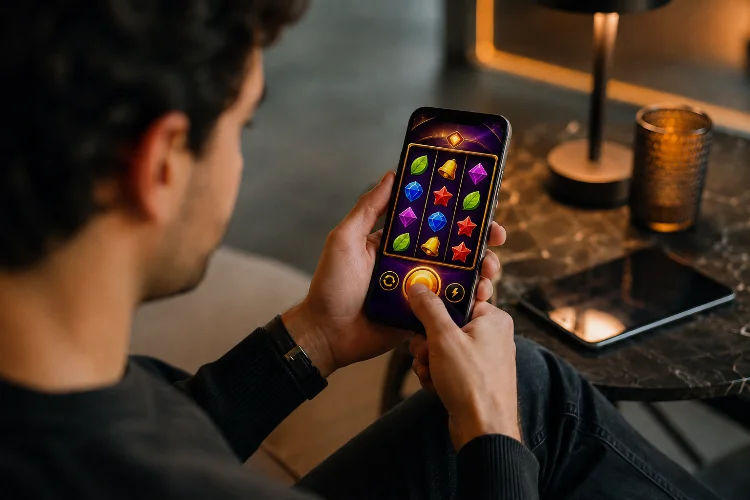
A slot designed around a mouse can technically run on a smartphone, but that does not mean it feels right. A cursor can accurately select a tiny icon, hover over controls, and move across a large screen. A finger is less precise, temporarily covers whatever it touches, and usually operates inside a much smaller display.
That difference has influenced Modern Slot Game Mechanics in ways that go beyond simply enlarging the Spin button. Touch-first interfaces affect how features are activated, how betting controls are organised, how bonus information appears, and how quickly the game responds to input.
Apple recommends designing games to embrace touchscreen interaction, while web standards provide dedicated pointer and touch technologies for handling fingers alongside mice and styluses.
Mobile design has therefore become part of the mechanic itself, not just the presentation layer.
Touchscreens Push Core Actions Toward Simple Taps
Desktop games can comfortably support small controls spread around the interface.
Touchscreens reward simpler interaction.
For slot design, that usually means important actions such as Spin, Bet, information, sound, and feature selection need obvious touch targets rather than controls that depend on precise cursor placement.
Apple recommends touch controls that are at least 44 by 44 points, while WCAG 2.2 sets a 24 by 24 CSS-pixel minimum target size for pointer inputs in applicable web accessibility scenarios.
That physical requirement can influence the entire control layout.
A large Spin button occupies considerably more screen space than a small desktop button. Bet adjustment may therefore move into a separate panel, while secondary settings are grouped behind a menu.
The mechanic remains the same mathematically, but its interation pattern changes.
Gesture Input Can Become Part of Feature Design
Touchscreens provide something a traditional mouse interface does not naturally emphasise: gestures.
Developers can detect taps, swipes, multiple simultaneous touch points, and more complex actions through technologies such as Pointer Events. MDN describes Pointer Events as a device-independent input model that can support mouse, stylus, and touchscreen interaction, including multiple active pointers.
That creates opportunities for game mechanics.
A bonus feature might allow the player to tap one of several mystery objects. Another could let users swipe between feature options or tap positions on a prize wheel.
However, gestures should add convenience rather than become unnecessary obstacles.
W3C accessibility guidance says functionality that relies on dragging should generally provide a single-pointer alternative when dragging is not essential.
So if a player can drag a slider to select a stake, allowing taps on the slider or separate plus-and-minus controls can make the mechanic easier to operate.
Screen Size Changes How Features Are Revealed
Desktop slot interfaces can display a lot at once.
A large monitor might show the reels, paytable shortcut, current bet, balance, autoplay settings, jackpot information, and several feature meters simultaneously.
A smartphone cannot comfortably give everything equal priority.
Touch-first design therefore encourages progressive disclosure: show the controls needed now, then reveal secondary options when requested.
For example, a feature-buy or bonus-selection interface may open as a full-screen layer rather than squeezing five choices underneath the reels.
This can change how a mechanic is experienced.
Instead of reading several options while continuing to watch the grid, the player enters a clearly defined decision state.
The underlying probabilities do not have to change. The responsivness of the interface simply makes the state transition more obvious.
Thumb Reach Influences Control Hierarchy
Most smartphone interaction happens with fingers approaching the display from below or from one side.
That gives certain screen regions more practical importance than others.
Game designers therefore tend to keep frequently used controls accessible while moving less frequent settings away from the central interaction area.
The Spin button is an obvious example.
If it were placed as a tiny control in a top corner, repeatedly activating it could be uncomfortable. A larger lower-screen control is easier to reach while leaving the reel area visible.
Apple’s broader game-design guidance encourages touch controls that work naturally with touchscreen interaction rather than merely reproducing controls designed for another input device.
This hierarchy can also affect mechanics such as turbo modes, bet selection, and feature choices.
Actions requiring repeated input benefit most from highly accessible positioning.
Immediate Feedback Becomes Part of the Mechanic
With a mouse, users can often see hover states before clicking.
A touchscreen normally has no persistent hover cursor.
The interface therefore needs to confirm input immediately after the finger touches the screen.
A button may depress visually, animate, vibrate where supported, or change state before the larger game animation begins.
This feedback is especially important in slot interfaces because an unclear tap can lead players to touch the control again. If the first tap was already registered, an accidental second interaction may follow.
Browser-based games can handle pointer-down and pointer-up states directly through Pointer Events, allowing interfaces to respond throughout the touch lifecycle.
The result is a subtle change in mechanic design: acknowledgement becomes part of the action itself.
A spin should not merely start. The interface should make it obvious that the request has been received.
Animation Timing Must Keep Up With Input
Touch design also exposes latency quickly.
When users directly touch a screen element, they expect it to react almost immediately. A noticeable delay between tapping Spin and seeing visual feedback can make the interface feel disconnected.
For browser games, requestAnimationFrame() allows animation updates to be coordinated with browser repaint cycles and generally follows the display refresh rate. MDN notes that common screens may operate at 60Hz while higher-refresh displays such as 120Hz are also widespread.
Modern slot interfaces therefore need animation systems that respond smoothly across different refresh rates.
That includes reel acceleration, button feedback, expanding symbols, counters, and bonus transitions.
The goal is not simply maximum frame rate.
Consistent timing makes touch interaction feel direct. Poor timing makes the player feel as though the interface is reacting after their finger rather than with it.
Touch Can Simplify Complex Bonus Mechanics
One interesting effect of mobile design is that complicated mechanics often need simpler interaction.
Imagine a bonus containing six upgrade paths and multiple configuration options.
On desktop, all six might appear simultaneously with descriptions beside them.
On mobile, that can become visually crowded.
A touch-first version might present large selectable cards, allow one tap to open more information, and use another clear button to confirm the choice.
This does not reduce the mathematical complexity of the bonus.
It reduces the interaction complexity.
Unity supports touchscreen input as a dedicated input source on mobile devices, and its current Web documentation also recognises touchscreen input among supported web input types.
Designers can therefore build mechanics around direct selection rather than treating touch as a simulated mouse click.
That distinction often makes mobile bonus systems feel more natural.
Accessibility Changes Good Touch Mechanics for Everyone
Touch design is also closely connected to accessibility.
Small adjacent controls can be difficult for anyone to activate accurately, especially on a moving device. The challenge is greater for users with motor impairments or reduced dexterity.
W3C notes that a finger is larger and less precise than a mouse pointer and provides target-size requirements and guidance intended to reduce accidental activation.
For slot interfaces, this supports several practical choices: larger controls, greater spacing, clear confirmation states, and alternatives to complicated gestures.
A swipe-only feature, for instance, may benefit from visible buttons that perform the same action.
This improves accesibility, but it can also improve the experience for everyone using the game one-handed, on a small screen, or while the device is moving.
Good touch mechanics usually reduce friction rather than add novelty for its own sake.
Touch Design Changes Interaction, Not Random Mathematics
There is an important boundary.
Moving the Spin button, increasing its size, or replacing a desktop menu with touch cards does not inherently alter RTP, symbol weighting, or RNG probabilities.
Those belong to the game’s mathematical model.
Touch interface design changes how players access and understand the mechanics.
A bonus wheel may be activated by tapping rather than clicking. A feature choice may use swipeable cards instead of desktop tabs. The result-selection mathematics can remain exactly the same.
This distinction matters because visually dramatic interaction should not be mistaken for greater control over random outcomes.
The user is controlling the interface.
The certified game logic still determines the result according to its underlying rules.
Modern Slot Game Mechanics increasingly reflect the realities of touchscreen play. Larger targets, direct taps, simpler feature selection, fast feedback, gesture alternatives, and mobile layouts all change how mechanics are experienced without necessarily changing their mathematics.
When evaluating mobile slot design, look beyond responsive graphics and ask whether every feature actually feels natural under a finger. That is where effective touch-first design becomes visible.